Invoca Workflow Agent
Designing and building an in-platform AI agent assistant that knows who you are, where you are, what you're looking at, and how Invoca works.
Role
Senior UX Designer
Client
Invoca
Timeline
2026
At a glance
Problem: Users were copying platform data into ChatGPT because Invoca couldn't answer questions about itself.
What I did: Originated the concept, designed the interaction model, built the agent's context architecture and knowledge base, and pitched it through the organization.
Outcome: Over 100 unique sessions a day on the internal QA platform, outperforming our shipped SMS and Voice Agents. The program ended at the QA stage; the architecture and findings are below.
Situation
Invoca is a conversation intelligence platform used by Marketers to attribute ads and websites that drive inbound phone calls. Invoca routes those calls, handles them via SMS and voice agents, and analyzes what is said during calls. It’s used daily by performance marketers, agencies, and customer success managers for monitoring and reporting.
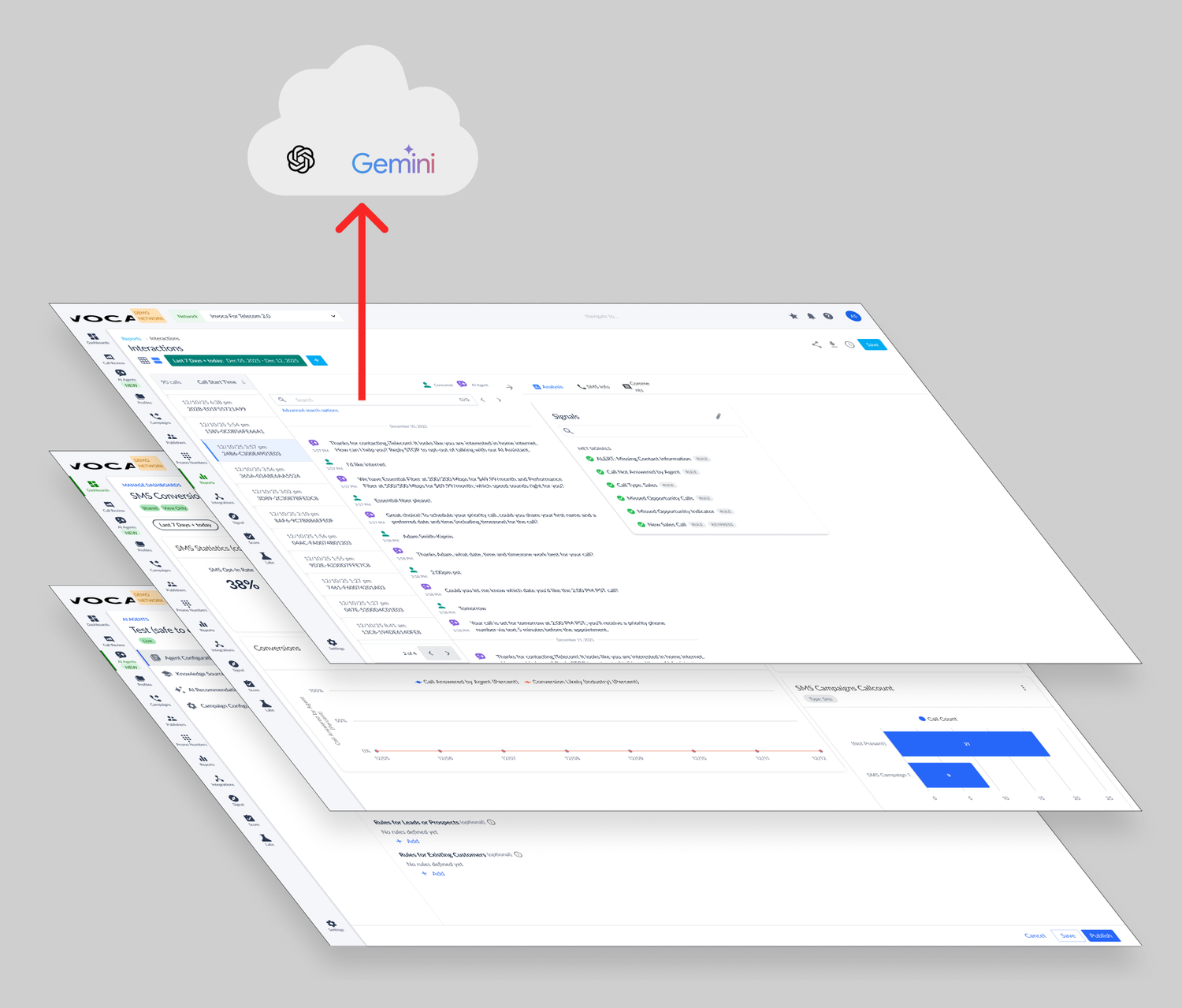
In early 2026, Invoca was focused on driving AI adoption at scale. However, there was a problem within our platform. Users wanted to analyze call transcripts with AI, so they’d open a new browser tab, copy transcripts from Invoca, paste them into ChatGPT, and get insights there because it was a better experience. That copying and pasting was a leak, and that friction was a tax. Our users were already using AI, and I believed they shouldn't have to leave Invoca to do it.
Task
Nobody assigned this to me. I’d been thinking about this concept for a few months and started building it as a passion project during our quarterly “passion week” because I thought a working demo would move the conversation further than a deck would.
I originated the concept and made the case for it by pitching it to colleagues and then co-presenting it to the organization. I designed the interaction model and the agent's context architecture: what it knows, where that knowledge comes from, and how it is retrieved. I worked very closely with a talented engineer, Gabriel Zurita, on the implementation and live demo.
Invoca's documentation was scattered across several knowledge base repositories, each managed by a different group, each with its own user interface. None of them were integrated into the platform in a way that allowed users to get contextual answers to their questions. I aggregated all the documentation into Markdown using manual downloads, web crawlers, and instructional video transcripts. When building the agent's knowledge base, I experimented with chunking strategies to ensure the answers felt natural and included URL citations as appropriate.
We built the agent using Polaris, an internally modified version of Flowise, and measured performance and conducted evaluations with Braintrust. Gabriel and I were the primary creators. My colleague Brittany Choi also contributed forward-looking interaction-pattern concepts outside the chat window.
Actions
Framing the problem
What I saw were three problems that could be tackled.
- Unintuitive UI: The platform was unintuitive, with learning resources scattered across several sites. This meant that customers would rely on Invoca employees to implement their solutions pro bono rather than use self-serve, which was costly for Invoca.
- Data Leakage: Users were copying and pasting platform transcripts into ChatGPT and Gemini for analytics because the experience was better, resulting in data leakage.
- Telemetry: The platform lacked telemetry on its own user experience and user intent.
I created the pitch deck to illustrate the problem and a roadmap for how the Agent’s capabilities and access could be expanded over time. What surprised me was how quickly we built that expansion. While preventing data leakage was one problem to solve, user research was another foundational motivator. We were creating a system to get real-time user insights from chat transcripts on how people wanted to use the Invoca platform, which was something the company didn’t yet have.
Those were the three that mattered most, not the only three available. An MCP server letting third-party agents act inside the platform would have been a better user experience, but it cut against the data leakage problem I was there to solve, so I left it out.
One agent, many forms
My core design principle was Omnipresence. The agent is always there, on every page, and can be called up from wherever you are. It is not a destination you navigate to. That produced three states: a persistent pill in the platform chrome, built onto Invoca's frontend shell so it rides along on every route; a popover that floats over the current page for a quick question; and an embedded drawer that docks beside the content for longer sessions.
The trade-off between the last two is the page underneath. A panel that overlays the dashboard makes the agent useless at the task it's best at, which is explaining what's on screen. So the embedded state reflows the dashboard grid into the narrower space rather than covering it, at the cost of a heavier, slower transition. The popover deliberately leaves the page untouched and accepts the occlusion. I kept both instead of choosing, because the question being asked determines which cost is acceptable.
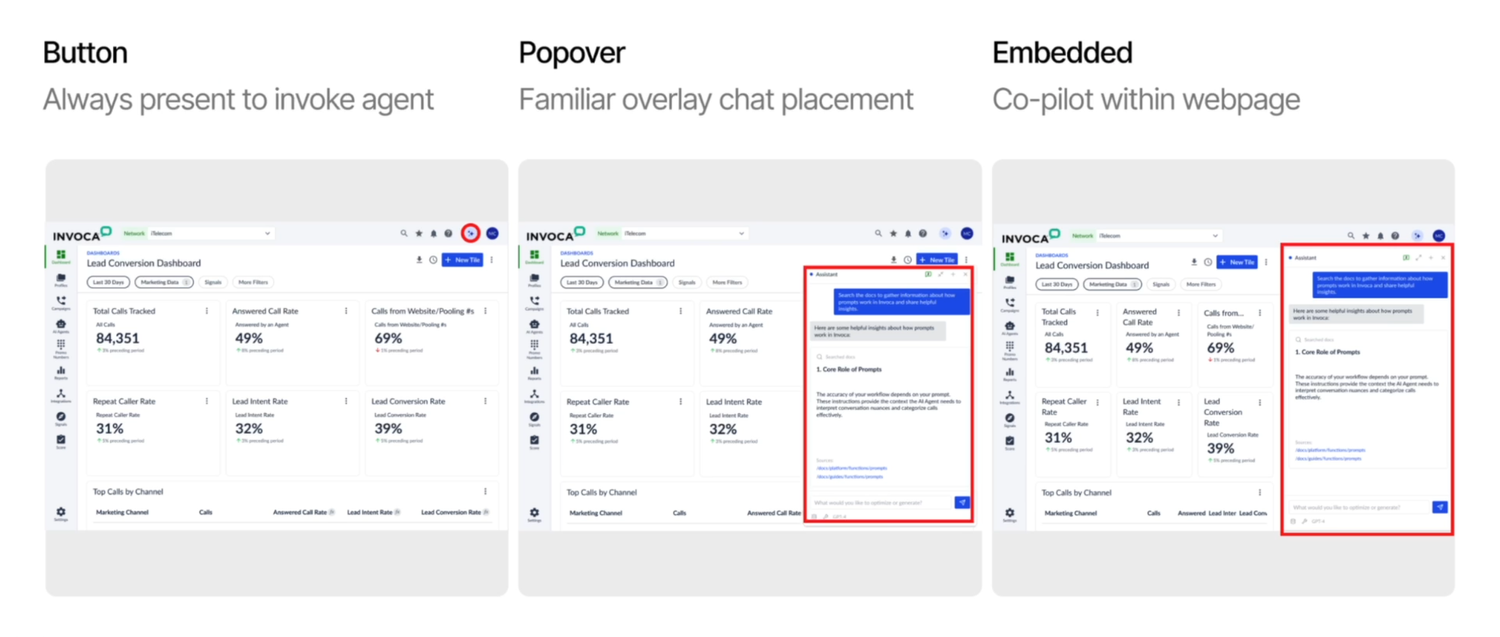
Agent embodiment designs
Context Engineering
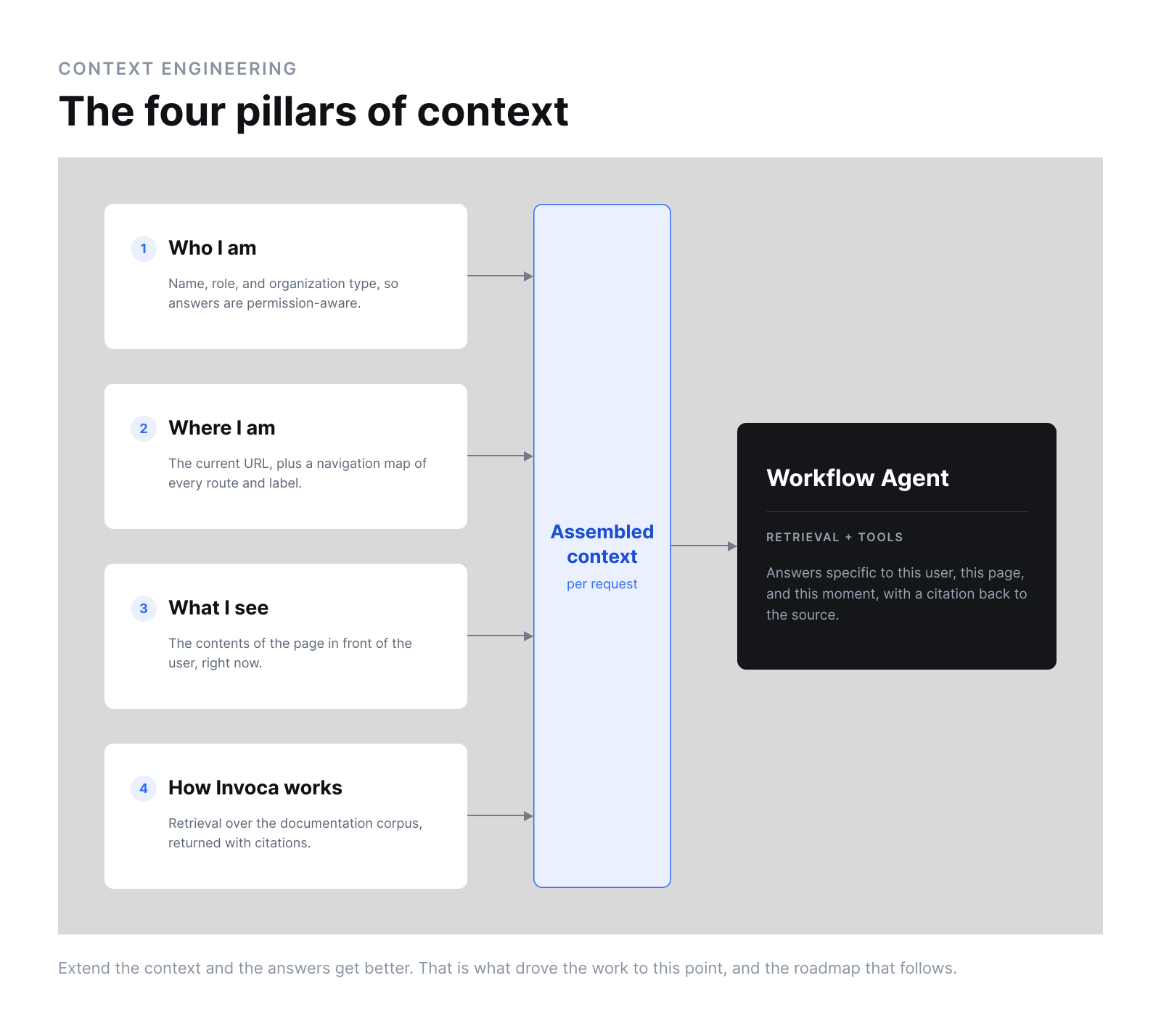
An agent's usefulness is a function of its context, so deciding what it should know is a set of design decisions about what users will ask and what a good answer requires. I specified four pillars of context.
- Who I am: The agent knows who you are: name, role, and organization type are passed in, so responses are personalized and permission-aware. A Network user and a Publisher user asking the same question are not asking the same question.
- Where I am: It knows where you are: it receives the current URL, and on top of that, I built a navigation map of the site, its routes, views and structures. Without it, an agent can tell you that a setting exists; with it, it can tell you where to click.
- What I see: It knows what you are looking at by scraping the current page. Asking what the payout column means only works when the agent can see the payout column, so page reading came first.
- How Invoca works: It knows what Invoca knows by retrieving contextualized information from our documentation, with citations, so it doesn't guess, and accuracy is easily verified.
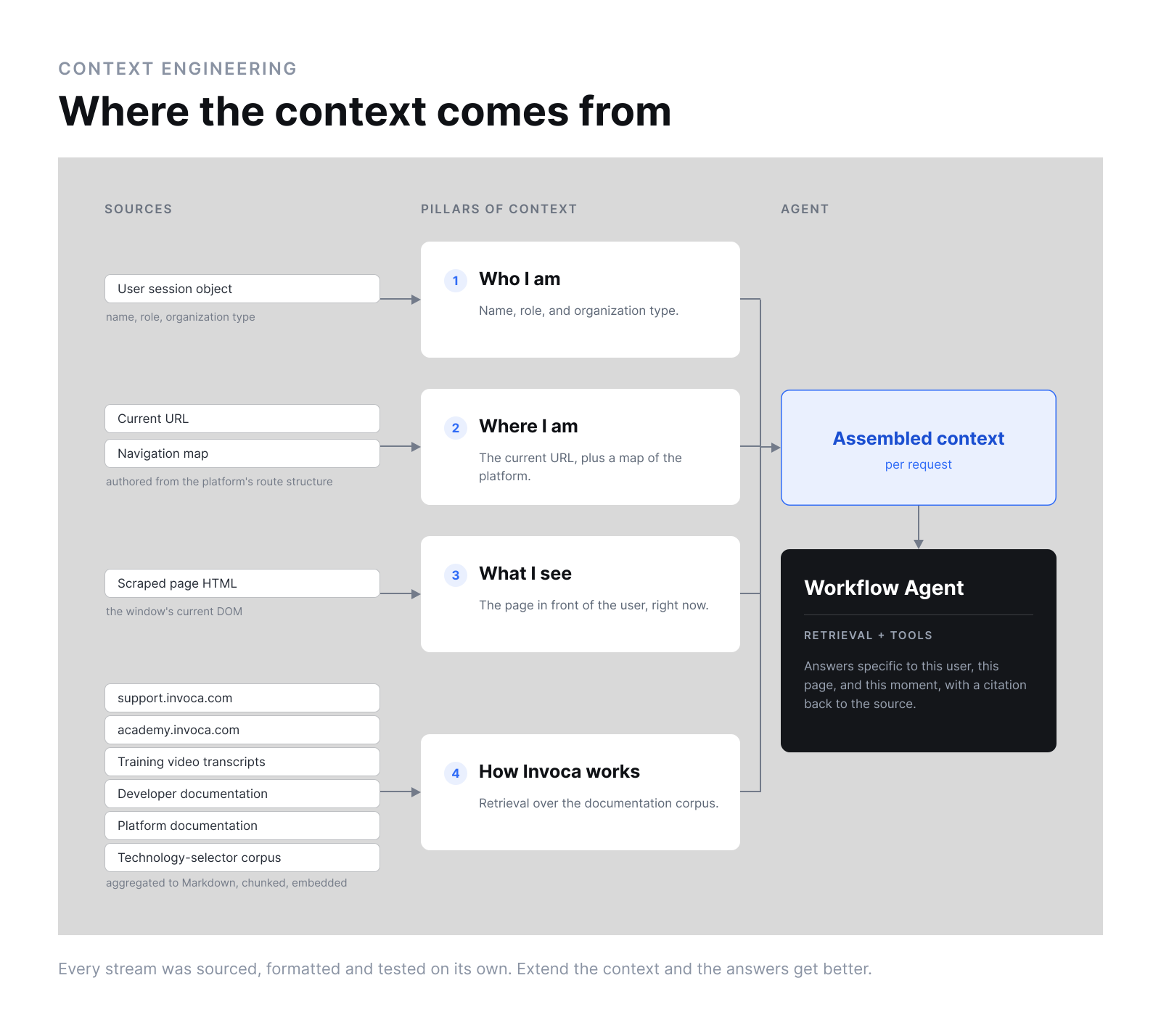
Conversation history persists across navigation, so a thread started on Manage Campaigns continues on Manage Dashboards.
Four pillars because four was what we could deliver, not because the model stops there. The roadmap carried further pillars as the north star.
What we built
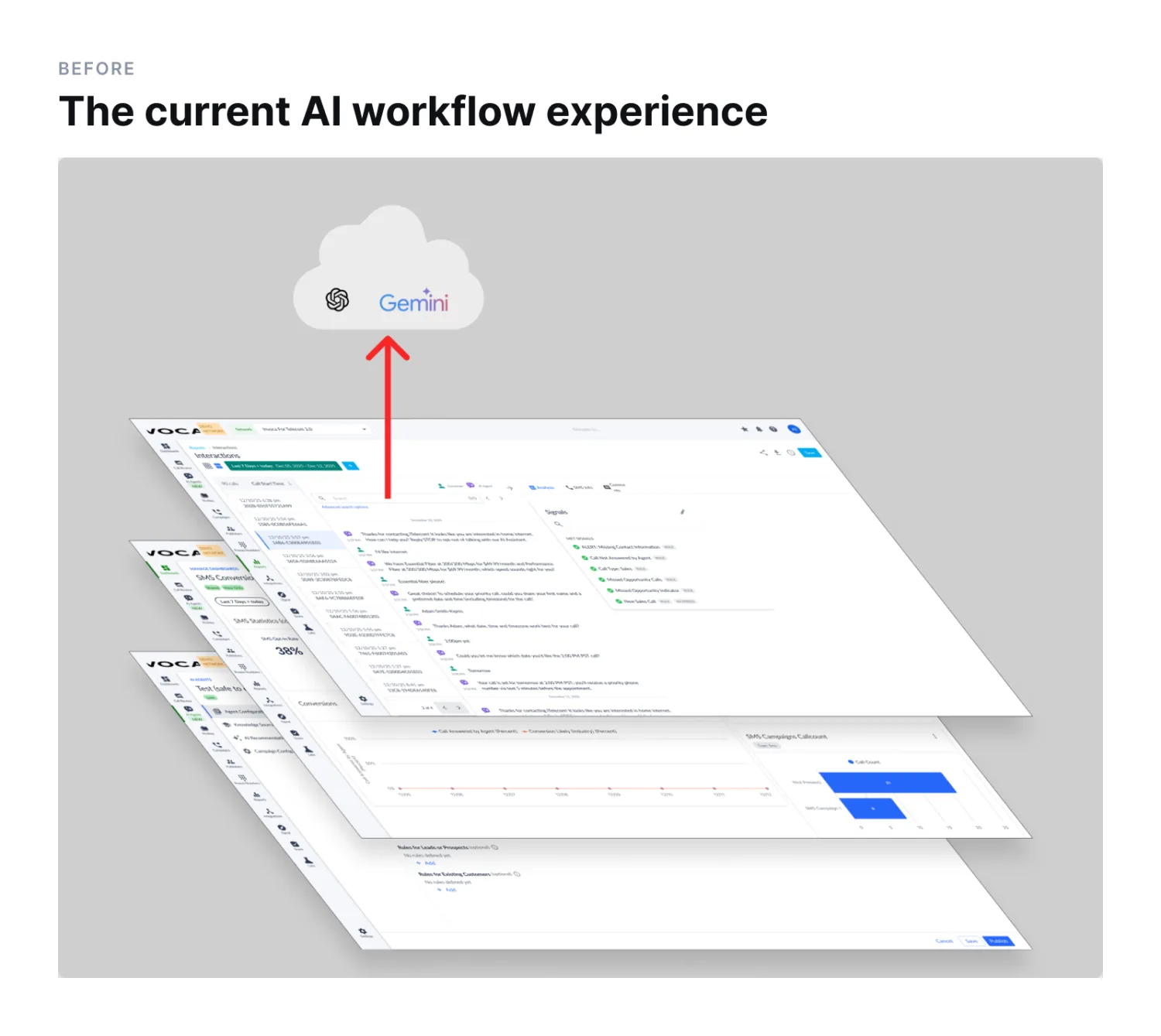
There was too much transport waste and friction for users who wanted to analyze transcripts at scale. To gain efficiency, they manually copied and pasted transcripts from the Invoca platform into Gemini or ChatGPT. That was leaking interactions and data from our platform and frustrating our users.
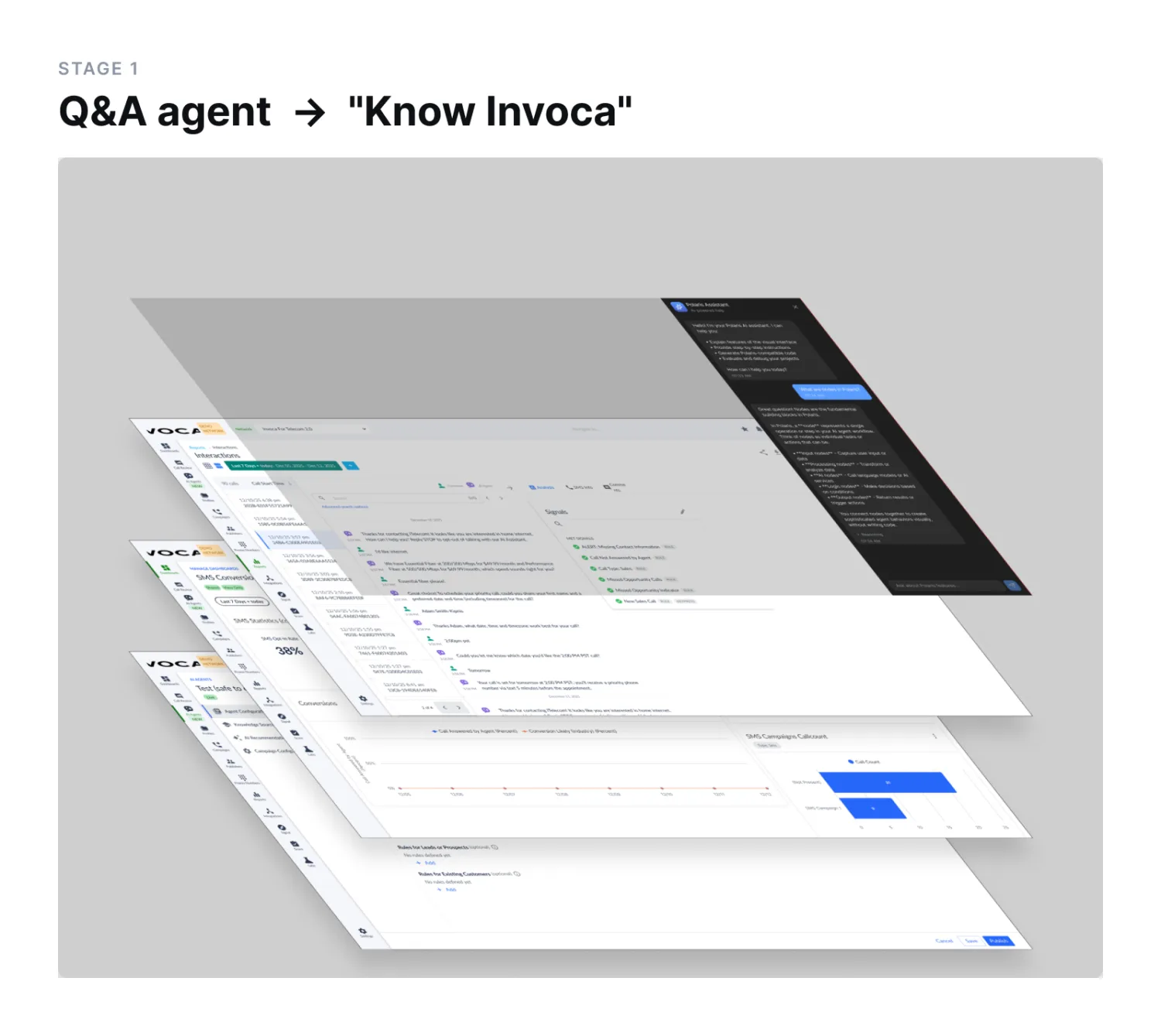
A ubiquitous Q&A agent, preloaded with Q&A pairs and documents via RAG, to help people onboard quickly and get just-in-time information without searching for it. Click and ask.
Example: "How do I search for a call record by a caller's phone number?"
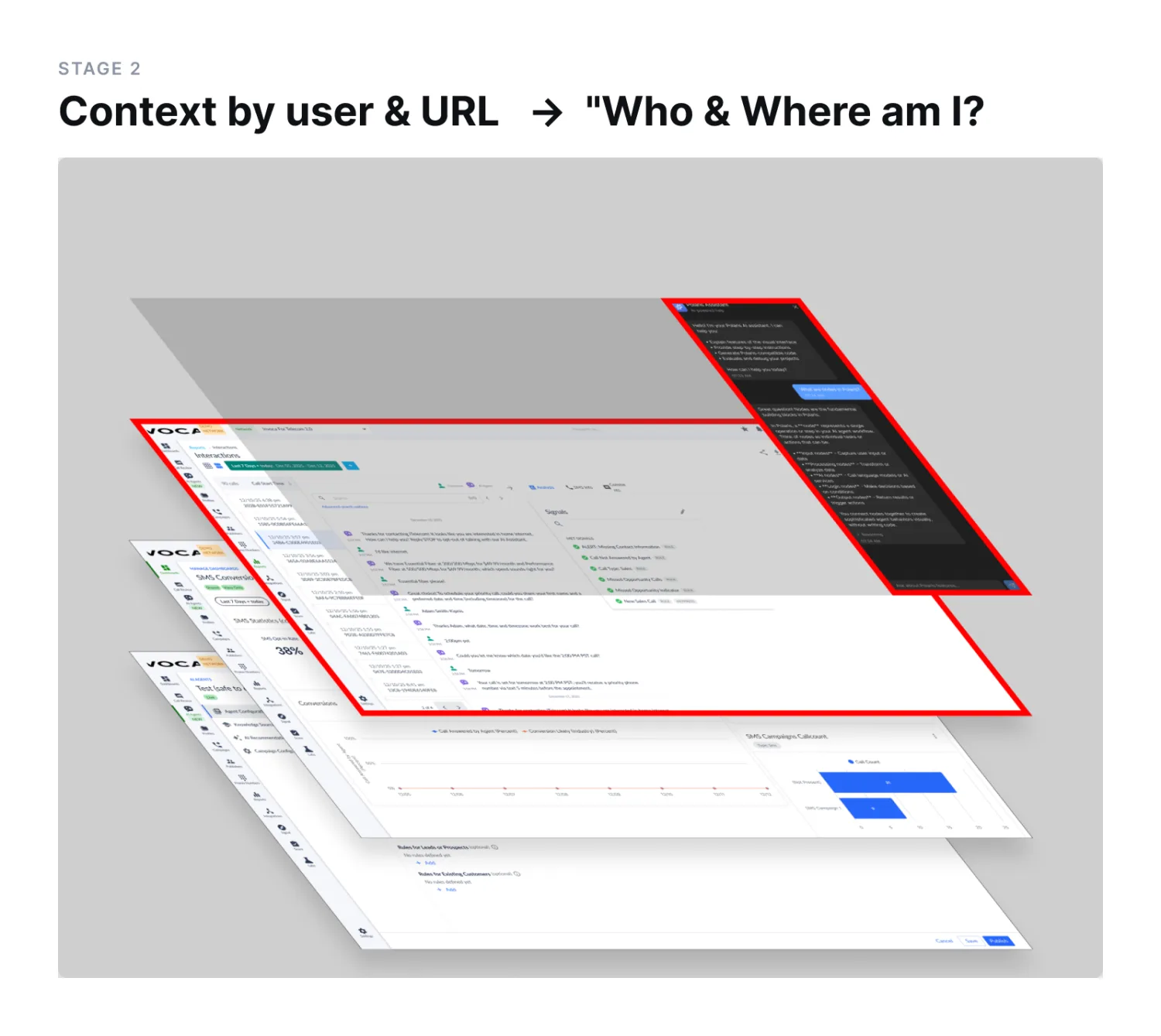
The agent infers context from the URL and user. Because it knows which page a user is on, and who the user is, it curates personalized recommendations and suggestions for that page. A map of the entire platform, routes, views and structure, guides users to the right place, referring to them by name.
Example: quick-reply shortcuts for the questions that page tends to raise.
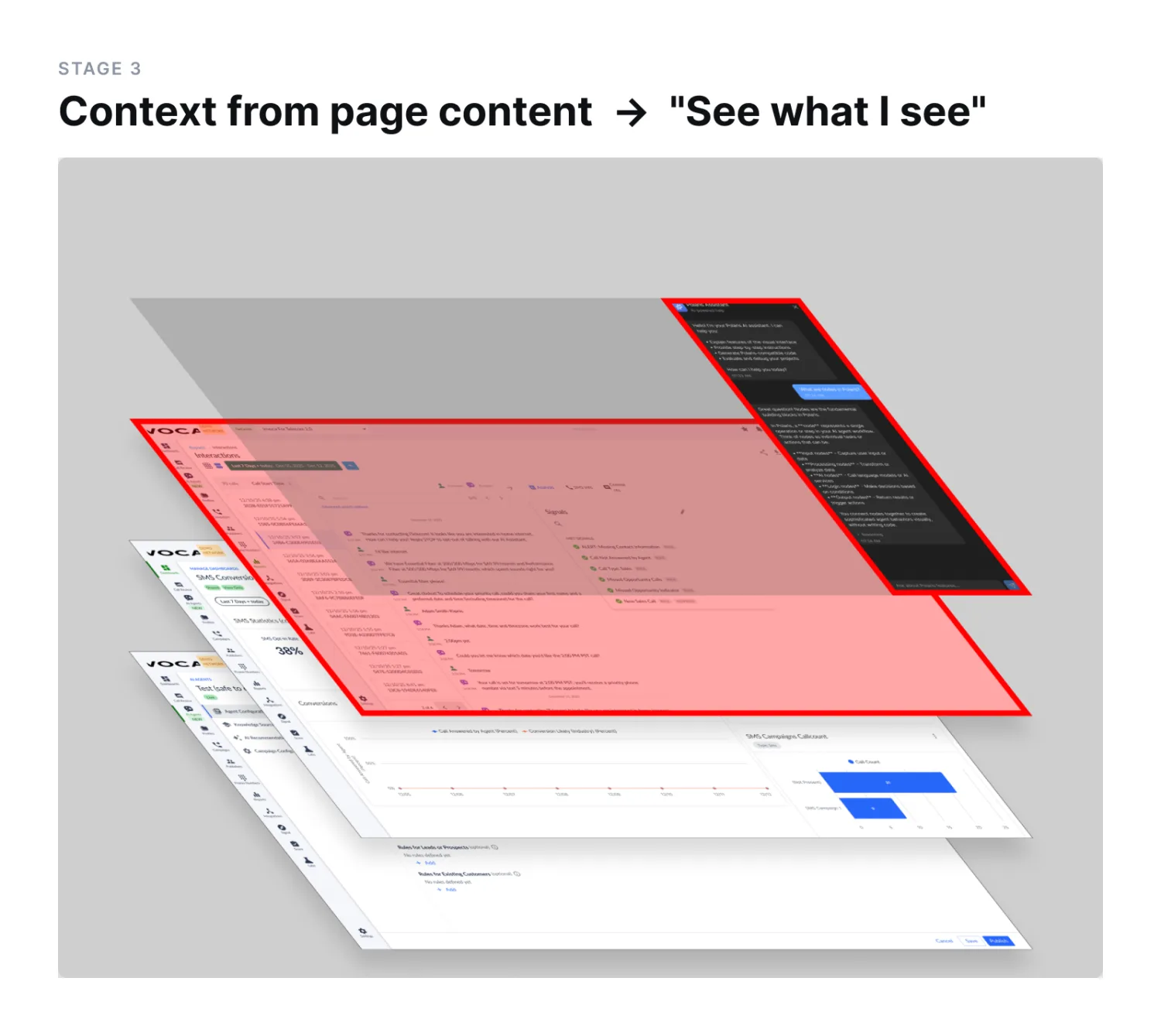
The agent knows the page content, the user's location on the platform, navigation paths, permissions, user ID, and Invoca's product documentation. Responses are context-aware.
The roadmap & vision I shared
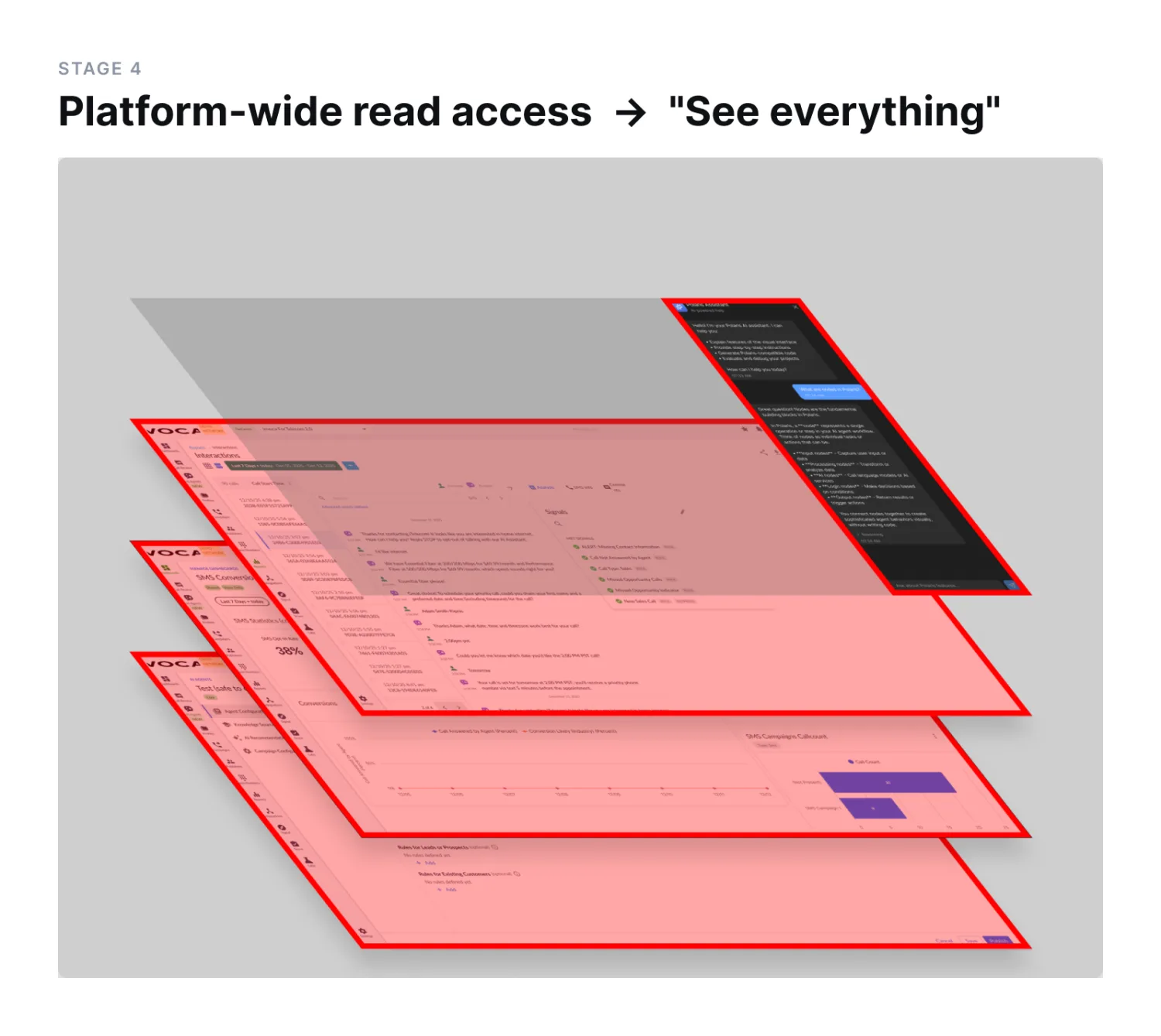
On-demand read access to everything the user already has access to, so they can ask about their data and campaigns from any page, and the agent can pull that data from across the platform. Example: from the call transcript page, ask about average sales conversion rates in Santa Barbara without leaving the page.
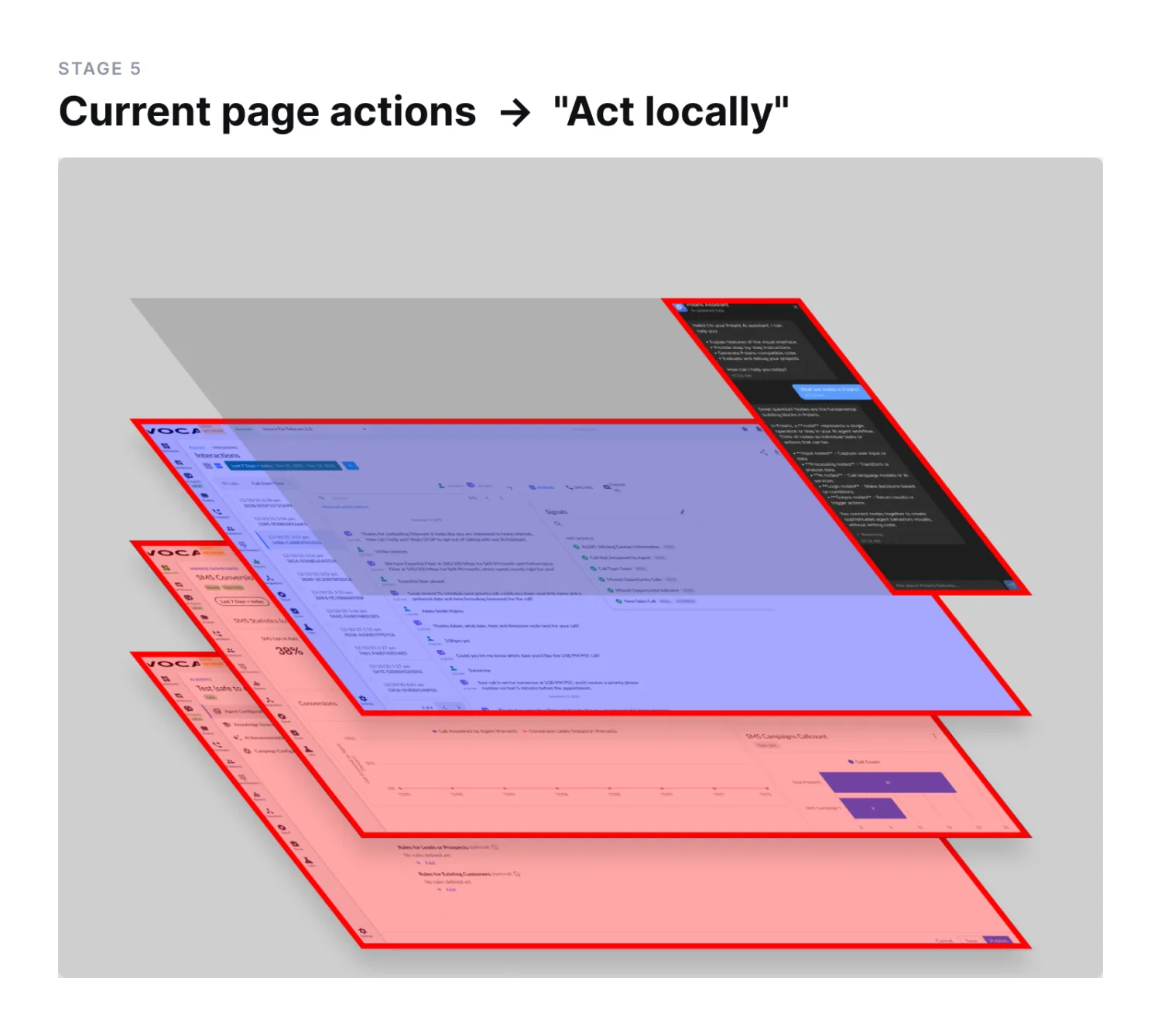
Taking inspiration from Braintrust's Loop, the agent gains read and write actions on the page the user is on, using natural language to orchestrate them. Page-based actions can also navigate the user elsewhere.
Example: on the reports page, "show me all call records from (555) 867-5309."
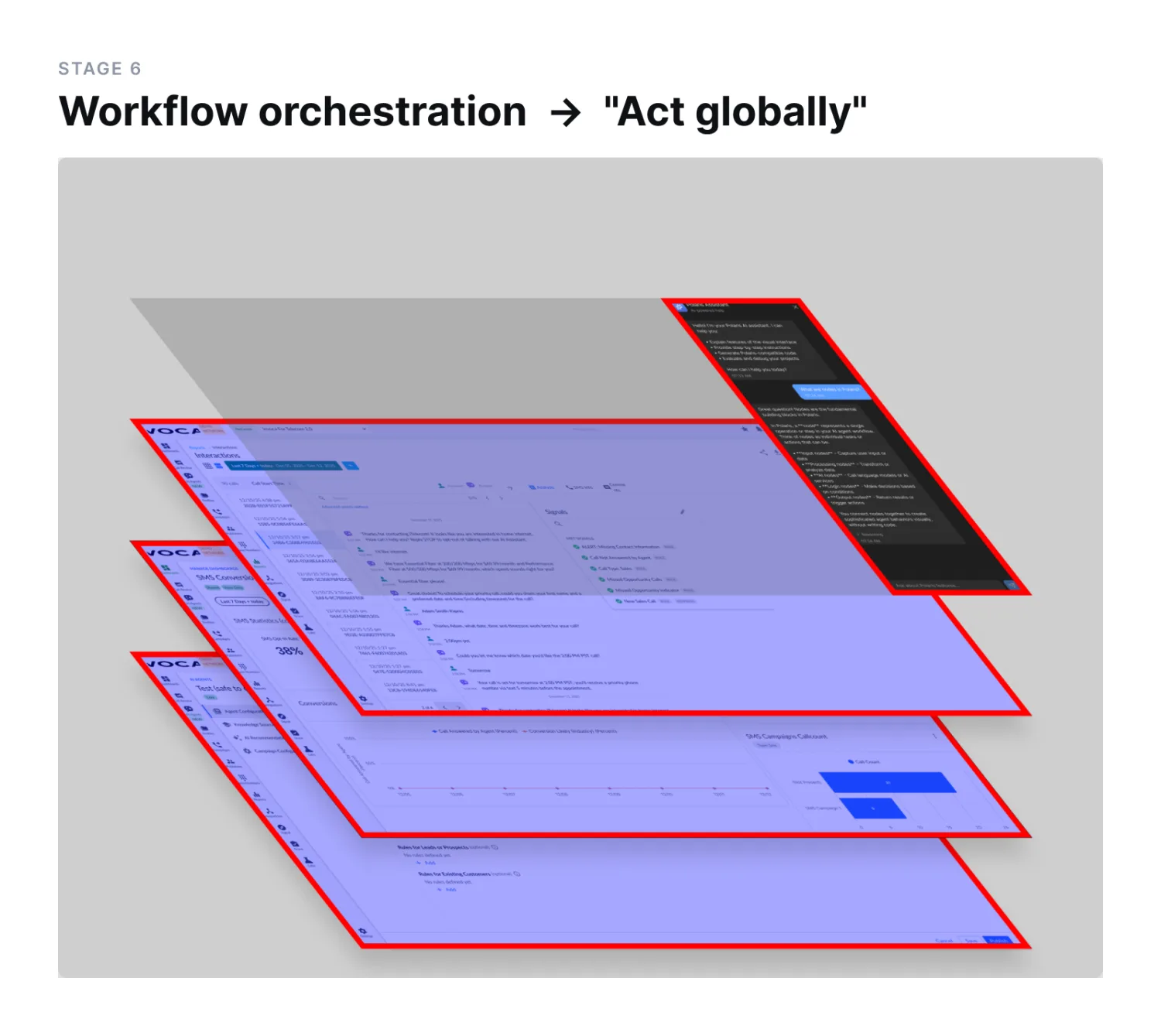
Actions on data and functions that cross multiple pages — read and write, remote — plus navigation. Example: "create an SMS agent for me" — using an agent to create an agent.
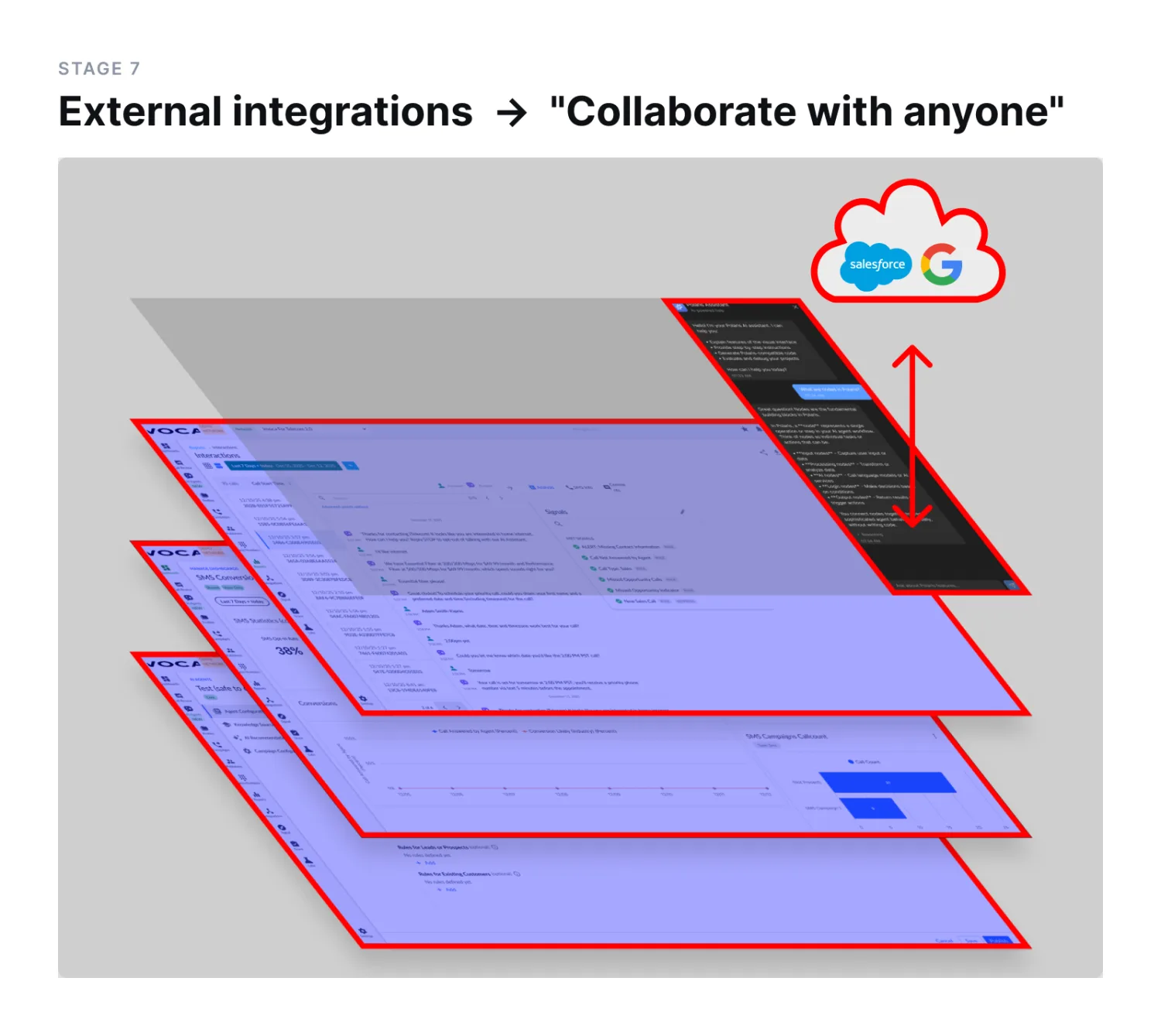
Users connect their own external services and CRM systems for orchestration beyond the platform: Salesforce, HubSpot, and other systems' MCP servers.
Building the knowledge base
Retrieval is only as good as its corpus, so I built the corpus myself. I crawled data from every Invoca learning resource that existed. The Invoca Academy course library, transcripts of training videos, developer documentation, platform docs, and the full support center knowledge base, which contains several hundred articles. I wrote the navigation map from the platform's own route structure. I authored a technology-selector corpus, based on my prior work, covering the choices our support team fields constantly and that our docs only address indirectly: Semantic Signal versus Rule-Based Signal, Lookup Table versus Formula Field.
I formatted all of the documents so a retriever could use them reliably. On top of the raw corpus, I built a synthesized wiki with concept pages, source summaries, and a maintained index.
I prototyped this organizational style in Obsidian as a side project, drawing on Andrej Karpathy's "personal knowledge base" architecture. The agent itself we assembled in Polaris as a sequential agent graph: a state object and conversation memory feeding a start node, an agent node with a retriever tool over the document vector store, and an end node.
Chunk size was the setting I spent longest on, because every wrong value failed differently. Too small and answers came back incomplete or lost their citations; too large and they turned redundant, drifted from the source, or landed in the uncanny valley, technically responsive and still wrong to read.
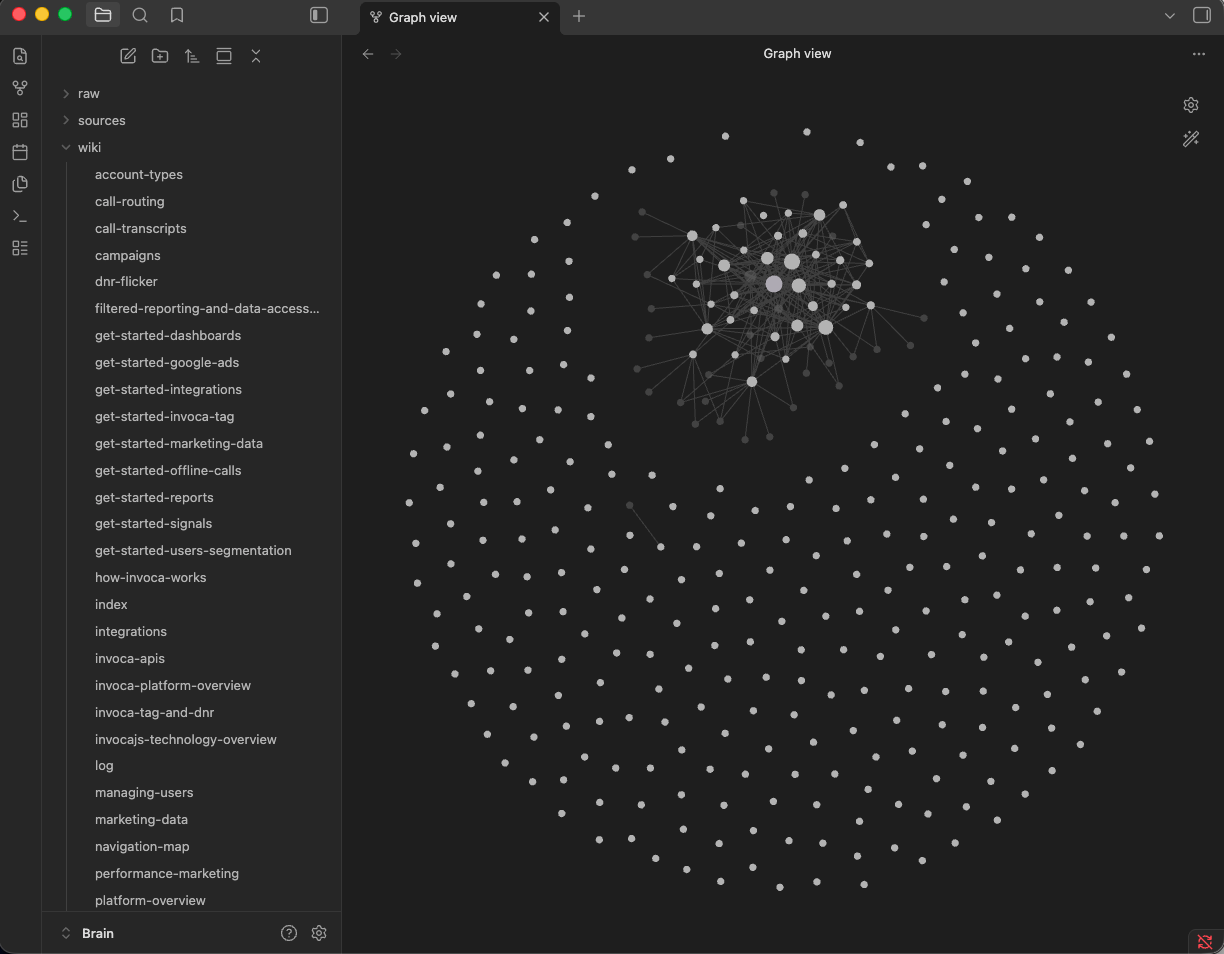
Prototyping ‘personal knowledge base’ RAG architecture with Obsidian & aggregated Invoca documentation in markdown format
Logging every interaction
Every interaction was logged to Braintrust: the system prompt, the assembled user context, the scraped page content, and the conversation. When anyone asked how the agent knew something, the answer included a link to one of our published knowledge bases. During our live demo, we refreshed Braintrust in real time and read the trace of the conversation we had just had.
Getting buy-in from the teams I was threatening
There was real anxiety in the organization that a retrieval agent would devalue the support and Academy teams' work. I made the opposite argument publicly, because the project would have failed politically otherwise. Content from support.invoca.com and academy.invoca.com doesn't become less valuable because an agent can retrieve it. It gets a new channel. What is changing is that agents are becoming a bigger consumer of documentation than humans are, which argues for investing in documentation.
I got that point about agents consuming documentation from Hahnbee Lee, a founder of Mintlify, at Braintrust’s 2026 Trace conference in San Francisco, where she said close to 50% of their usage was already from agents and was trending toward 90%.
Result
Gabriel and I built the majority of this in three days. The Workflow Agent ran on localhost and was deployed to our internal QA platform so everyone in the company could access it.
- Over 100 unique sessions per day: usage climbed immediately after we rolled it out to colleagues, reaching hundreds of unique sessions in the first couple of days and outperforming our SMS and Voice Agents. The number grew every day it ran.
- Working proof of concept: We conducted a live demonstration of page awareness, URL awareness, user awareness, retrieval from Invoca's documentation, and conversation persistence across navigation, using real platform screens.
- The open problem: a data-access problem rather than a design one. The use case that started the project, analyzing a call transcript in place, needed transcript data that staging did not have. So we proved page reading separately, then generated simulated transcripts in the JSON format a user would have, using a prompt from my colleague Tristan Marshall, and analyzed them by pasting them into the agent's chat window. The original workflow still required a copy and paste; a live deployment, with real data, is what closes it.
- Roadmap influence: The concept and its framing shaped how the organization approached in-platform AI afterward, particularly the HubSpot integration, as announced during the rollout of "Nico."