Wilson X Connected Basketball App
Designing an award-winning audio-first game and coaching experience on iOS and Android for the first shot-detecting connected basketball
Role
UX Lead → UX Lead & Production Lead
Client
Wilson Sporting Goods, via Phenomenon (Los Angeles)
Timeline
~7 months on-site in Los Angeles, beginning February 2014
At a glance
Problem: The first shot-detecting basketball needed an app you could operate with both hands on the ball, built by an agency with no software development process.
What I did: Designed the audio-first Kinetic UI, directed the voice and sound design and tested it live with youth athletes, found and closed the project's COPPA exposure, and built the development process the engagement was missing.
Outcome: Shipped on iOS and Android, launched with an Engadget exclusive, and won a Cannes Lion, two One Show Gold Pencils, two Clios and a Webby. I was made Production Lead partway through.
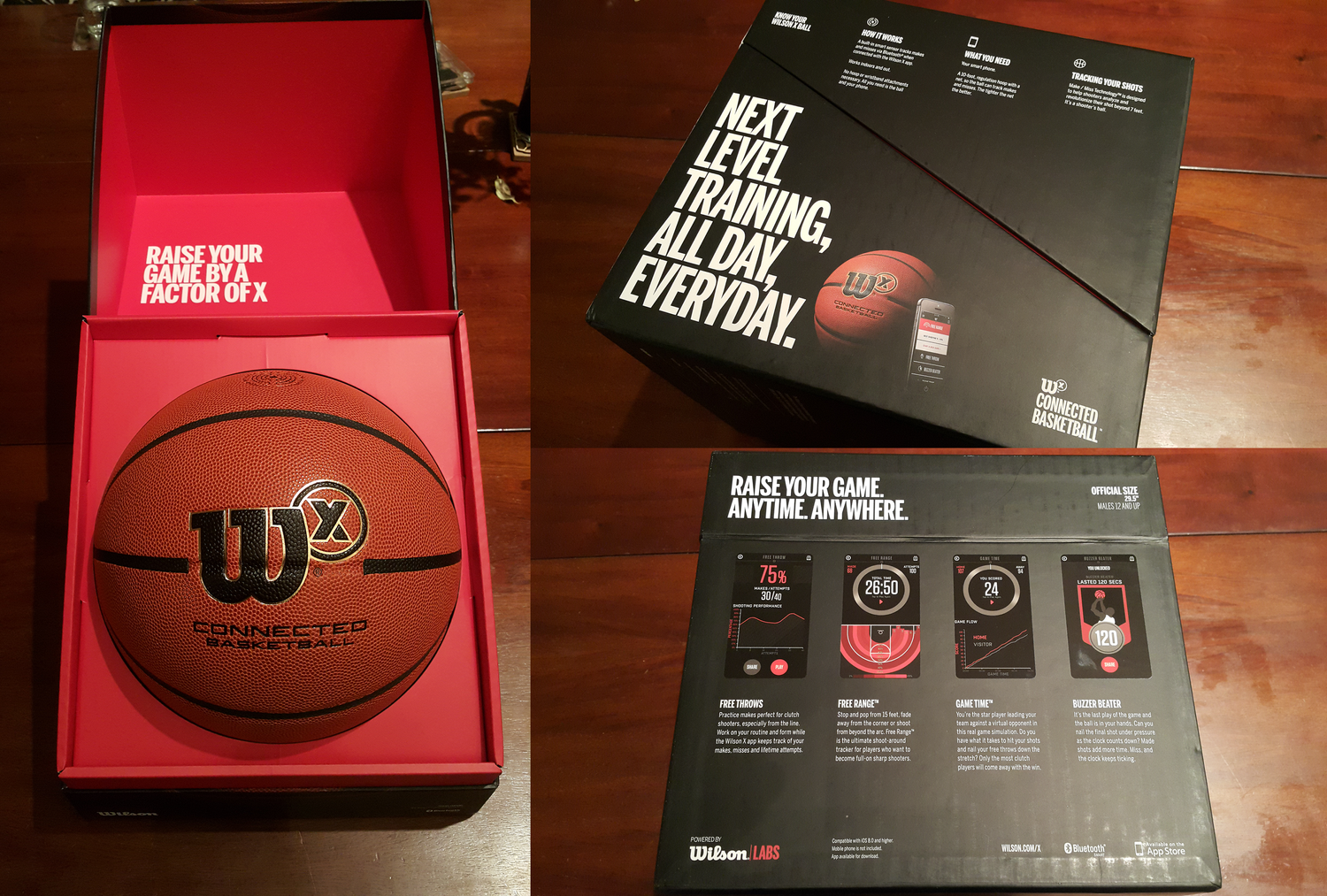
The final product
Situation
Wilson Sporting Goods, the 1913-founded sports equipment manufacturer now under Amer Sports, set out to extend its legacy of equipment innovation into a connected product: a basketball embedded with a multi-axis accelerometer, developed by a small Finnish hardware company, SportIQ, capable of detecting made and missed shots, no hoop attachment required, by sensing changes in speed, direction, and bounce as the ball passed through the net. The ball paired over Bluetooth to a companion iOS/Android app.
Phenomenon, the branding and advertising agency Wilson hired to conceive and build the experience, had never built a product, let alone a mobile application or any standalone software; their prior work was primarily focused on the branding of websites and social media campaigns. I was brought on for my background in game design and audio production, since the experience was meant to be audio-first: coaching, simulation, and feedback delivered through headphones while a player trained or competed with the ball.
Task
I relocated to Los Angeles to lead UI/UX design for the app. The scope, as given to me, was:
- Solve the interaction design problem of controlling an app via a Bluetooth-paired ball with limited screen interactions, consistently across iOS and Android.
- Design and produce a compelling, audio-driven suite of games and training modules that would earn repeat use from young players, not just function as a tracking gadget.
- Source and direct the voice, music, and sound design talent needed to build that audio experience.
Actions and Outcomes
Building the development process, then being made Production Lead
Once on the ground, I quickly saw that Phenomenon had no software development process, no access to the connected basketball, no build cadence with the Finnish engineering team, and nothing to make iteration reliable. This wasn’t something I was asked to fix; I identified the gap myself and worked with the team in Finland to get source control access, scrum standup meetings, a kanban board, and insisted on access to a fully-functional basketball prototype that we could use. I also built a living Game Design Document (GDD) wiki, a bug-tracking system improvised with Google Sheets, and a delivery schedule. As a direct result of taking this on, my role was expanded partway through the engagement from UX Lead to UX Lead and Production Lead.
Interaction design: the “Kinetic UI”
A core design problem was navigating an app when your hands are on a basketball, not a screen. We designed and prototyped what we came to call the Kinetic UI, spinning the ball to cycle through menu options, bouncing or tapping it to select, confirmed entirely through audio cues rather than visual feedback, since the phone was often in a pocket. I worked through paper prototypes (which I made into clickable prototypes using the POP app) and physical spin/bounce explorations before handing designs to engineering, and iterated on wireframes in Sketch, which were then passed to graphic designers for final styling, at which point they passed the screens back to me to build high-resolution clickable prototypes in InVision. What shipped from that work: a dribble confirms actions and detects the ball. Spinning and tapping to navigate an audio menu were prototyped and tested, and didn't make the cut.
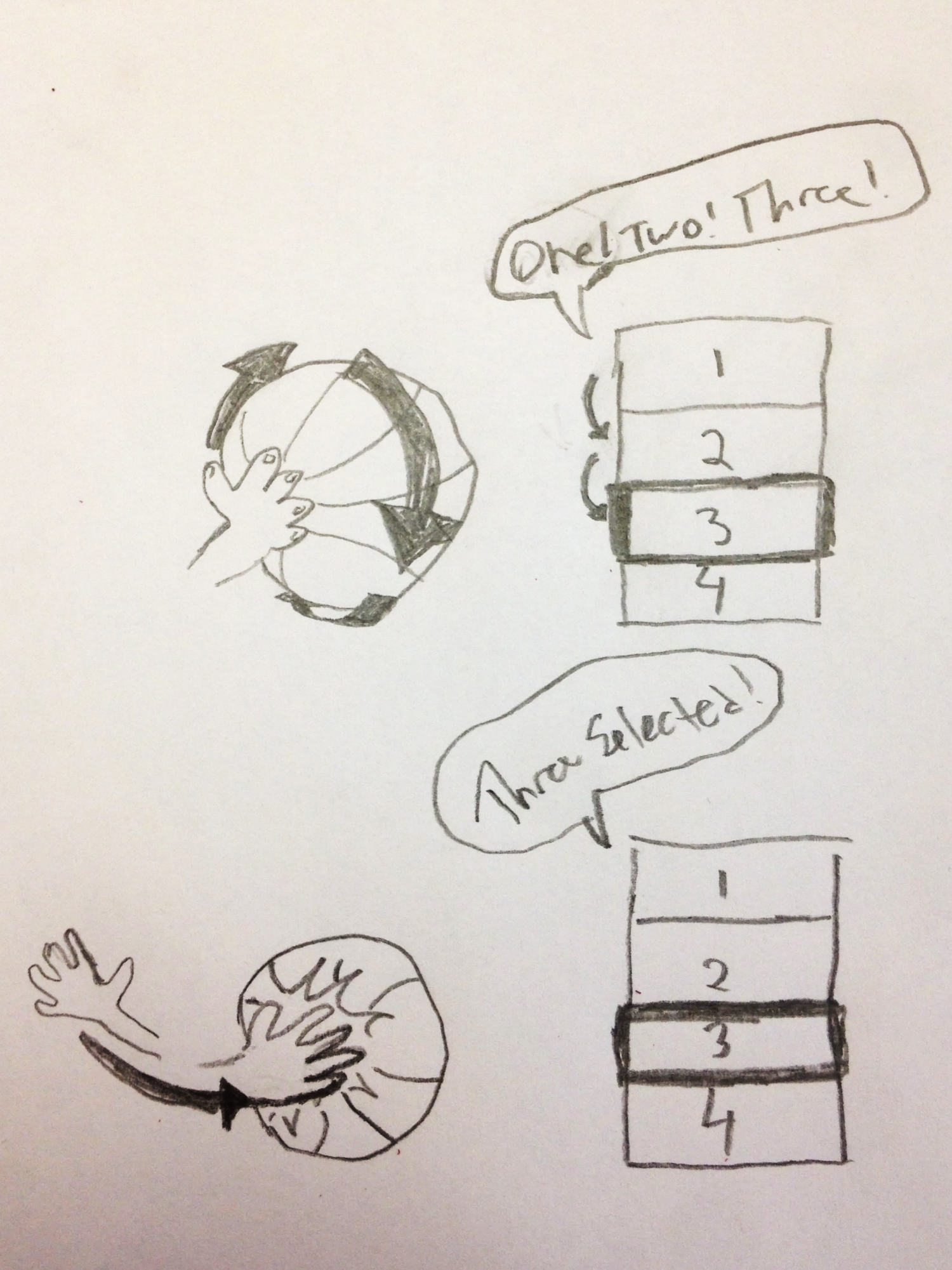
Exploring the feel of Kinetic UI concepts
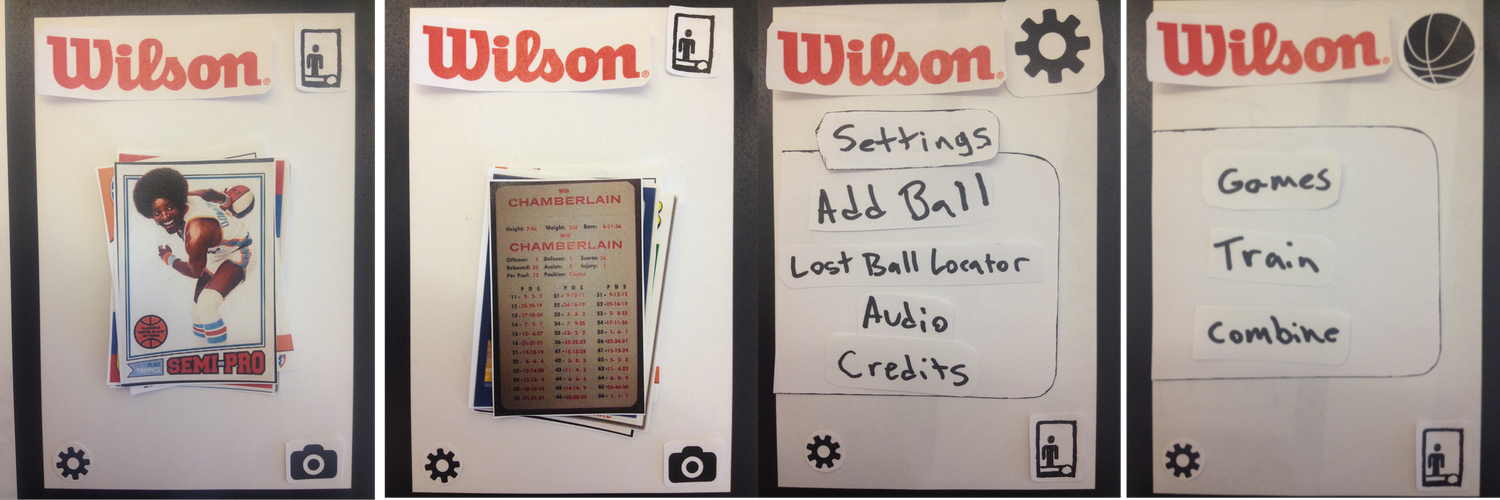
Prototyping on Paper (POP App) screens
The vocabulary was set by the hardware. Spinning, bouncing, shooting and made baskets were essentially all the ball could detect, so the interface had to be dead simple, and anything that needed more expression than that went to the touchscreen instead.
Experience and content design
Working from player personas and use-case scenarios that I built, we designed a family of modules serving different motivations: Free Throw Training with lesson-based coaching and progress checkpoints, Buzzer Beater as a timed shot challenge, Head to Head with live announcer commentary and virtual crowd reaction tied to real shot detection, and a Ball Tracker mode using Bluetooth signal strength to help a player physically relocate a lost ball. All of it fed into a Player Card system, a stats-and-achievement profile players could build and share to social media, addressing the recruiting motivation of players who wanted quantifiable proof of improvement to show coaches and recruiters. I suggested the player card as a way to build on the historical popularity of baseball and basketball cards, a familiar metaphor. I also created the audio designs and sourced the voice talent, music, and sound design/SFX talent that carried this experience.
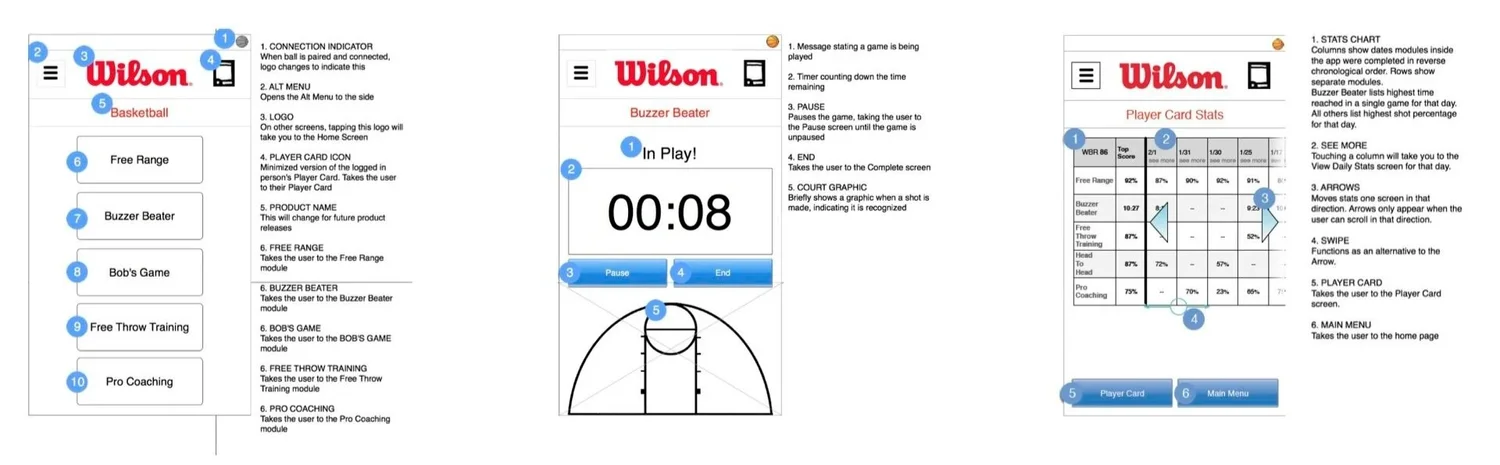
Wireframes built in Sketch
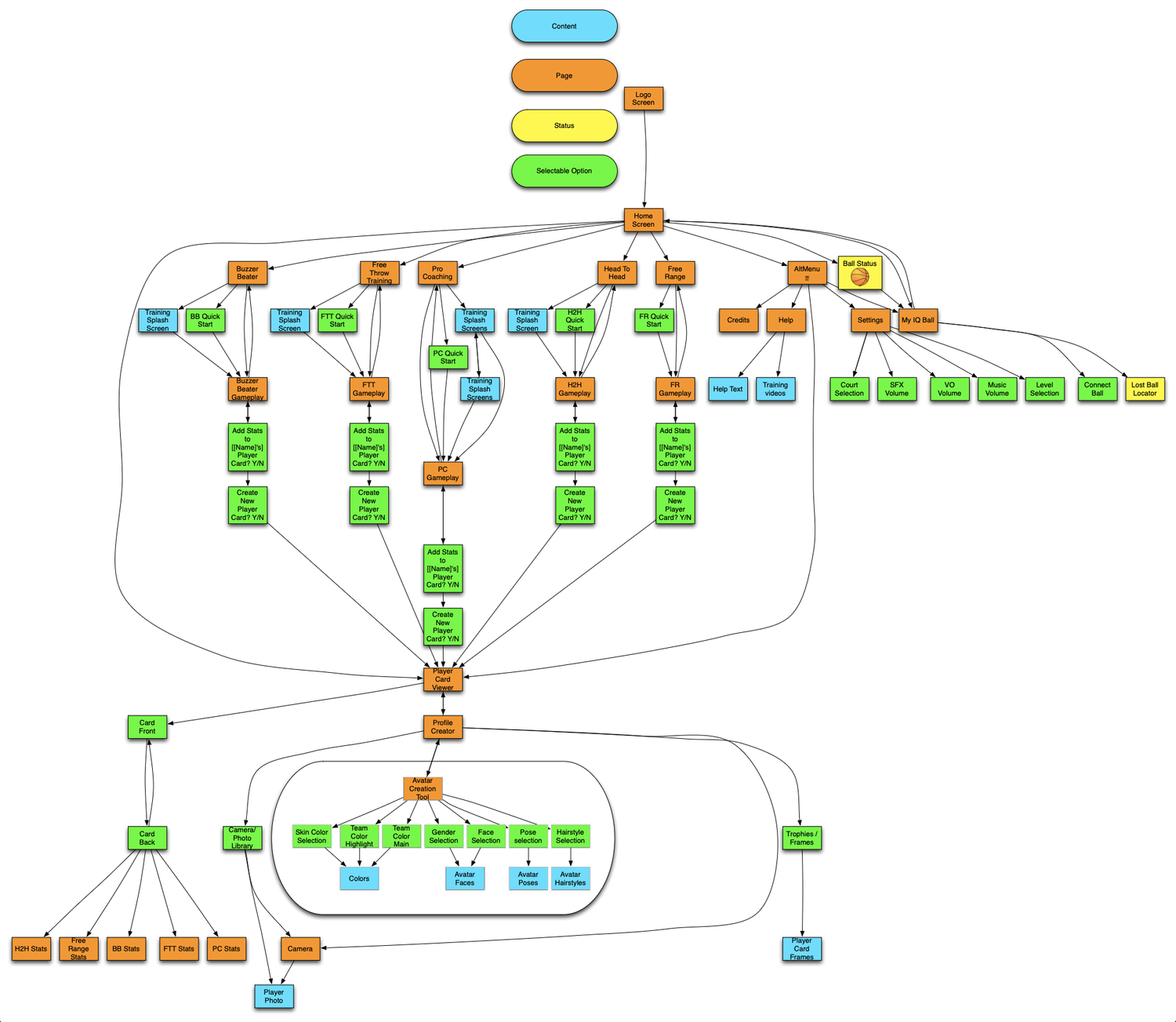
Information architecture built in Omnigraffle
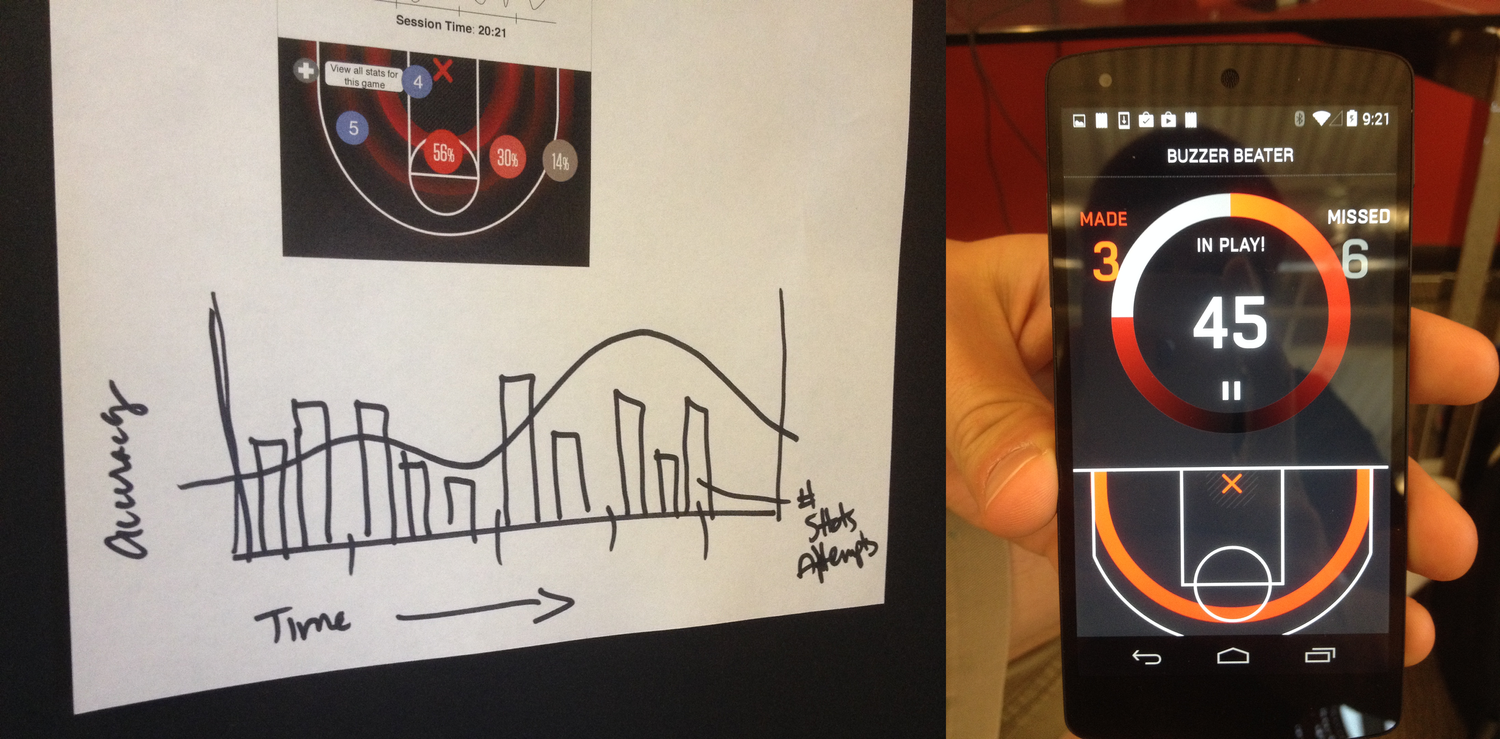
Buzzer Beater Heatmap concept development
Minigames and a court finder were among the modules that did not survive scoping.
Discovering and addressing COPPA exposure
COPPA compliance wasn’t scoped into the project at the outset. Partway through, I recognized that a product aimed squarely at kids under 13 who’d be creating accounts and sharing player cards on social platforms carried real regulatory exposure. I pushed the team to add parental consent flows and a data-retention opt-out, building those protections in before launch rather than after the fact.
Validating with real players
User validation was a priority that my manager and I drove personally. We flew to San Francisco, along with a user researcher and product manager, to attend a youth basketball combine, where I set up a soundboard loaded with recorded coaching and feedback samples and triggered them live, in real time, while young athletes practiced free throws, effectively performing the app’s future audio experience by hand in a wizard-of-oz style, before it existed in software. The athletes’ reactions gave us concrete, immediate feedback on tone, timing, and content of the coaching cues. I used that feedback to make same-night adjustments and retested with a new group of athletes the next day, confirming the changes actually improved the experience.
The combine changed the writing more than the design. I cut the phrasing down and retimed it so the instructions and feedback landed against the rhythm of players actually shooting, rather than against the rhythm of someone reading a script.
Getting the word out
We wanted to announce the product, and I had some ideas on how to make that. I put together a press packet with media and a press release that I wrote, and reached out to friends who worked in journalism to see if I could get it published. I was referred to a journalist at Engadget who was willing to run it as an exclusive as soon as we were ready. I coordinated the announcement with him, and the Engadget article about the Wilson X Basketball amplified our message.
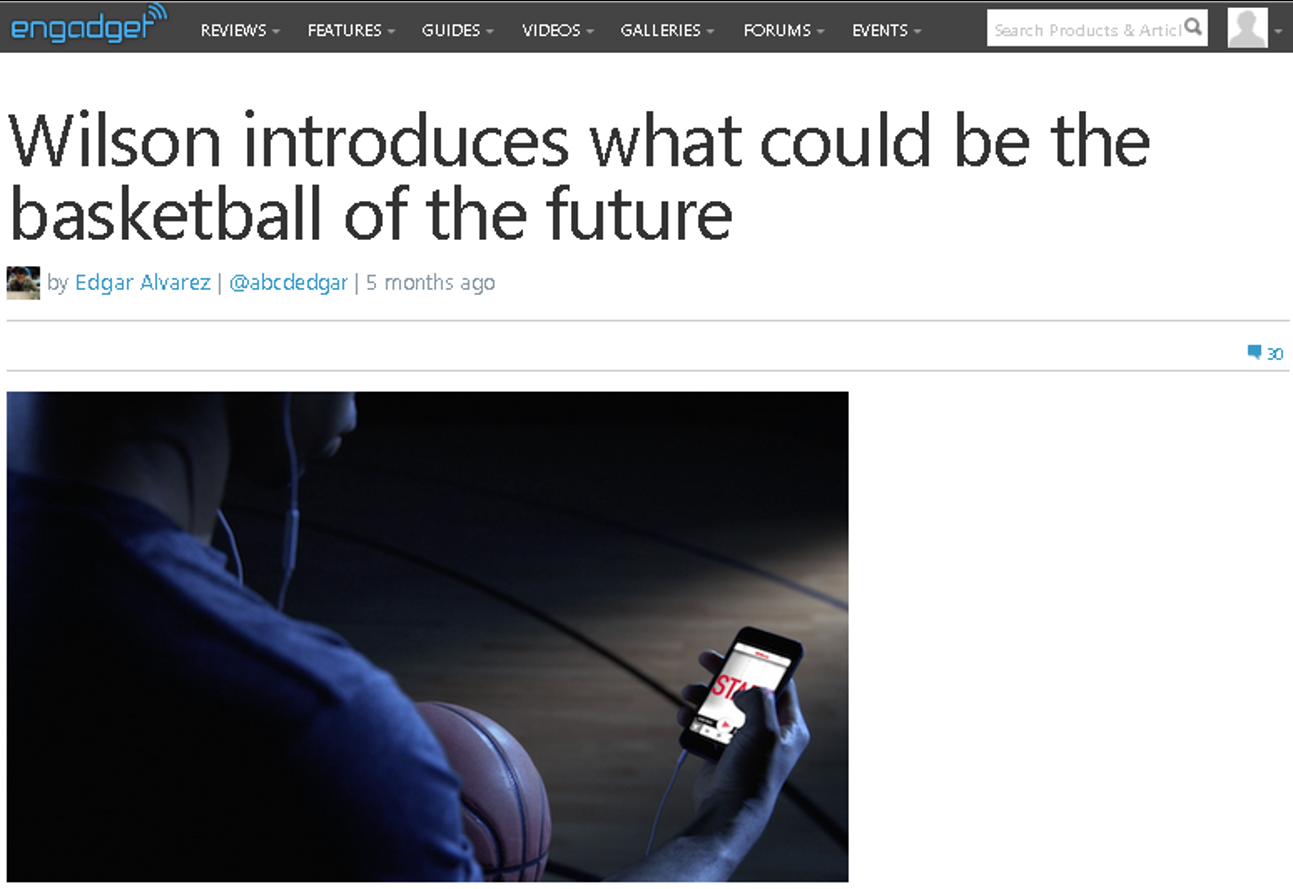
Exclusive press release
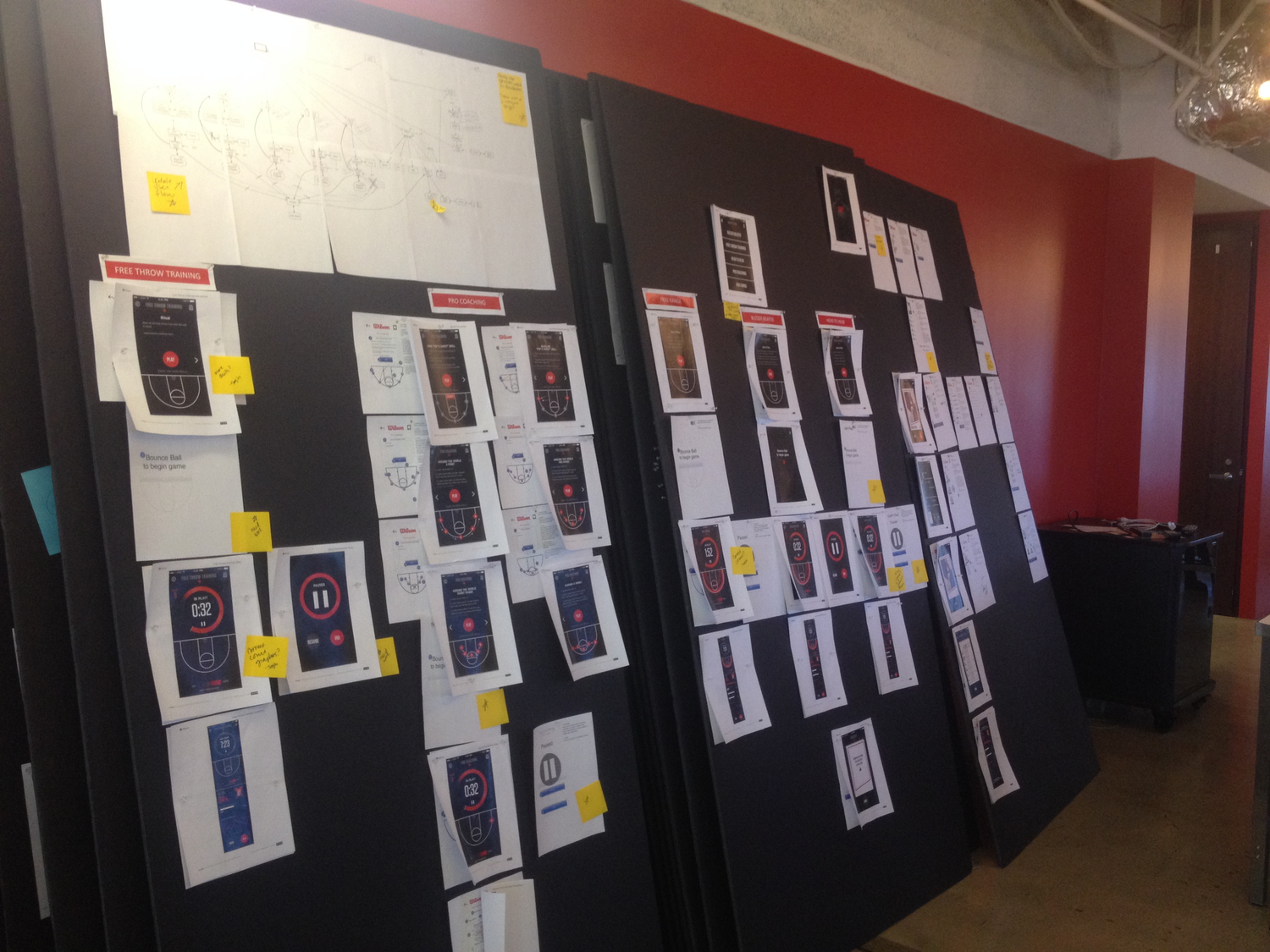
Concept reviews
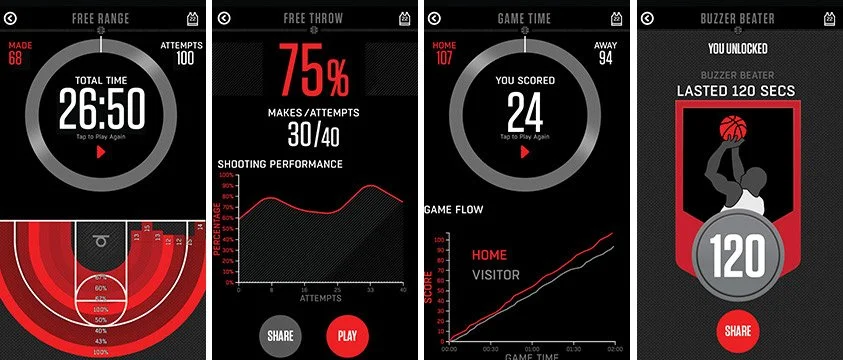
Final launch screens
Impact
Awards
The Wilson X Basketball won several awards.
- 2016 Cannes Lion Silver / Digital Craft: Innovative Use Of Technology // Wilson / Wx Connected Basketball
- 2016 The One Show Gold Pencil / Use of Technology/Consumer Product and Mobile Integration // Wilson / Wx Connected Basketball
- 2016 The One Show Gold Pencil / Mobile UX/UI Innovation // Wilson / Wx Connected Basketball
- 2016 Clio Sports Silver / Innovation // Wilson / Wx Connected Basketball
- 2016 Clio Sports Bronze / Packaging Design // Wilson / Wx Connected Basketball
- 2016 Webby Winner People’s Voice Award / Connected Product // Wilson / Wx Connected Basketball